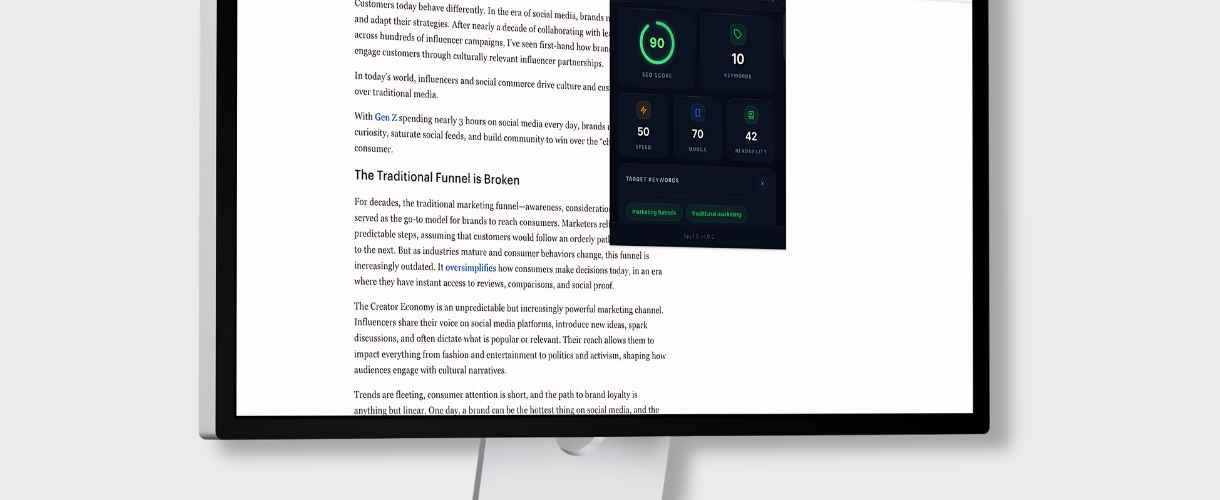
This SEO Intelligence Tool is a Chrome browser extension, which was built on Manifest V3 that performs client-side, on-demand SEO audits via an injected analyzer script. It uses the Chrome Scripting API to execute a content script, within the users tab, scraping the live DOM to extract metadata, structural elements, link topology, and performance telemetry, without requiring any backend service or external API calls.
The analysis engine evaluates four distinct categories of page health and the SEO module pulls the document title, meta description, canonical URL, robots directive, Open Graph tags (og:title, og:description), and, Twitter Card metadata (twitter:title, twitter:description) to assess all of the search visibility and social sharing readiness. The Content module works to compute total word count after stripping a custom stopword dictionary of common English filler terms, then runs an analysis to surface the top ten keywords by density, expressed as percentage of total content.
The Technical module parses all application/ld+json schema script tags to enumerate structured data types, with try/catch fallbacks for malformed JSON and pulls Navigation Timing API metrics including Time to First Byte (TTFB), DOMContentLoaded duration, and more. The Link module is built to classify anchor tags into external buckets based on hostname matching and surfaces the first five outbound links with anchor text and attributes for backlink auditing.
People can use it for rapid competitive audits, pre-publish QA on their own pages, technical SEO spot-checks during agency or freelance work, structured data validation against Google’s result requirements, keyword density sanity checks without firing up a full crawler like Screaming Frog, and quick performance triage to flag pages with TTFB or load time issues.